
Local Keycloak Setup
For local development, Keycloak is configured to use the hostname keycloak like in the RefArch setup instead of localhost.
This is required because:
- Browser redirects on the host must resolve to
127.0.0.1. - PHP code running in containers must resolve via container network DNS.
- Inside containers,
localhostpoints to the container itself.
Add keycloak to hosts macOS/Linux
echo "127.0.0.1 keycloak" | sudo tee -a /etc/hostsAdd keycloak to hosts Windows
Open Notepad as Administrator (right-click -> Run as administrator).
Open
C:\Windows\System32\drivers\etc\hosts.Add this line at the end:
text127.0.0.1 keycloakSave the file.
Restart the Local Environment and Verify:
After adding the entry, restart Keycloak/container stack:
podman machine stop && \
podman machine start && \
devcontainer up --workspace-folder .
Verify:
ping keycloakCitizen login (zmscitizenview)
See also GitHub issue #2827.
Local Vite host pages (appointment-view.html, etc.) use the public Keycloak client dbs-fragments in realm zms (migrations 09_add-citizen-client.yml, 10_add-citizen-token-mappers.yml). Defaults live in zmscitizenview/.env.development.
09creates the public client, audience scope, and test user (citizen/vorschau).10adds client mappers (Keycloak protocol mappers) on that client. A mapper copies a user attribute into a JWT claim when Keycloak issues a token. Without them, the access token lacks the profile fieldszmscitizenapiexpects — especiallylhmExtID(mapped from the Keycloak username), plusemail,given_name, andfamily_name.
The external dbs-login loader CDN is often unreachable on local networks. With VITE_USE_LOCAL_CITIZEN_LOGIN=true, host pages load src/local-dev/local-dbs-login.ts instead: it listens for authorization-request, runs OIDC authorization-code + PKCE against local Keycloak, then emits authorization-event.
- Apply migrations (restart the stack so
init-keycloakruns, or recreate that service). - Restart the Vite / citizenview process so env and the new login scripts load.
- Open the host page index
http://localhost:8082/orhttp://localhost:8082/webcomponents.html(orhttp://localhost:8082/appointment-view.htmldirectly). On the customer step with login enabled, click Login. - Sign in on the Keycloak page, then you should return logged in.
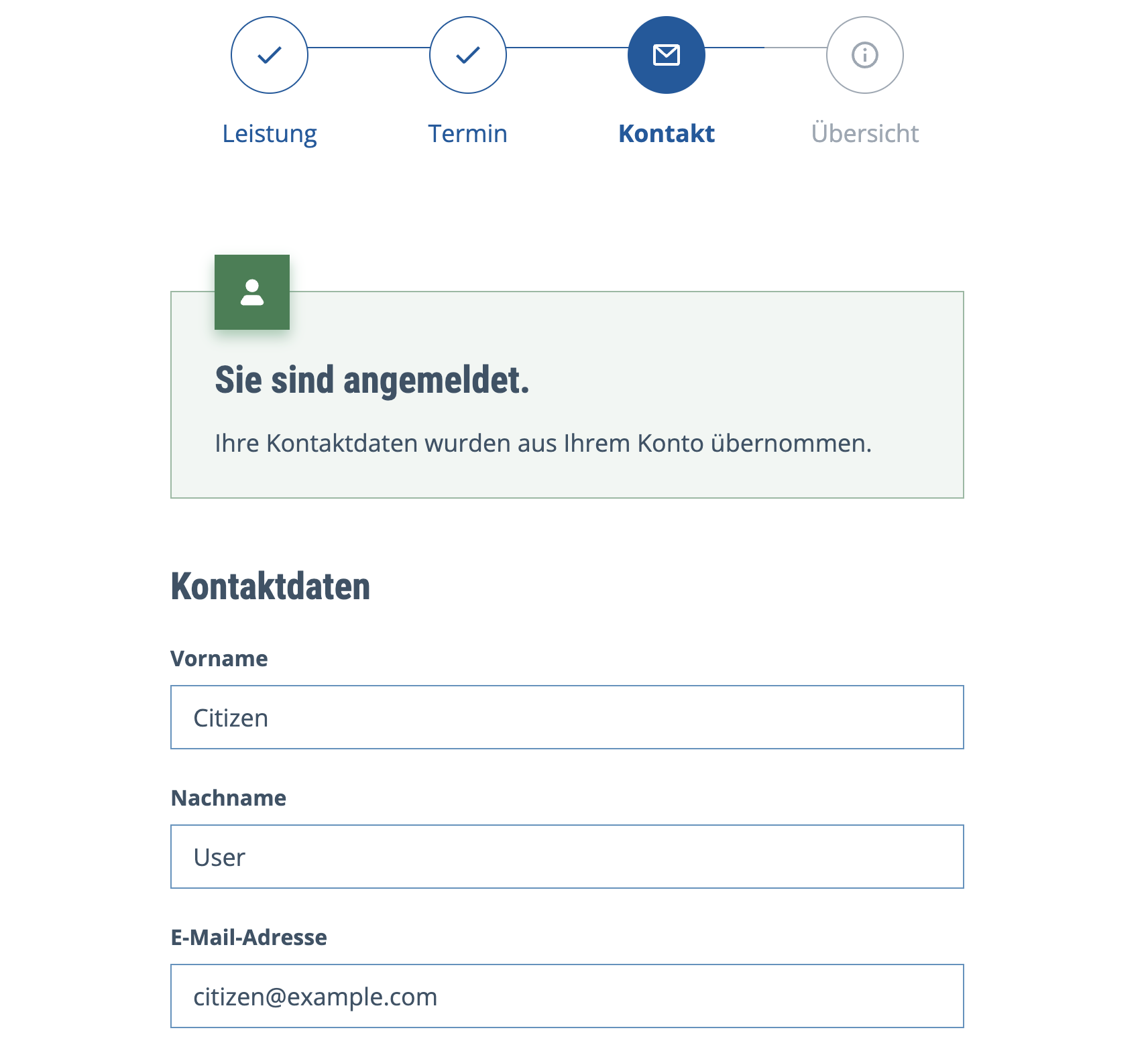
After a successful login, the contact step shows that you are signed in and contact fields are filled from the Keycloak profile claims (given_name, family_name, email):
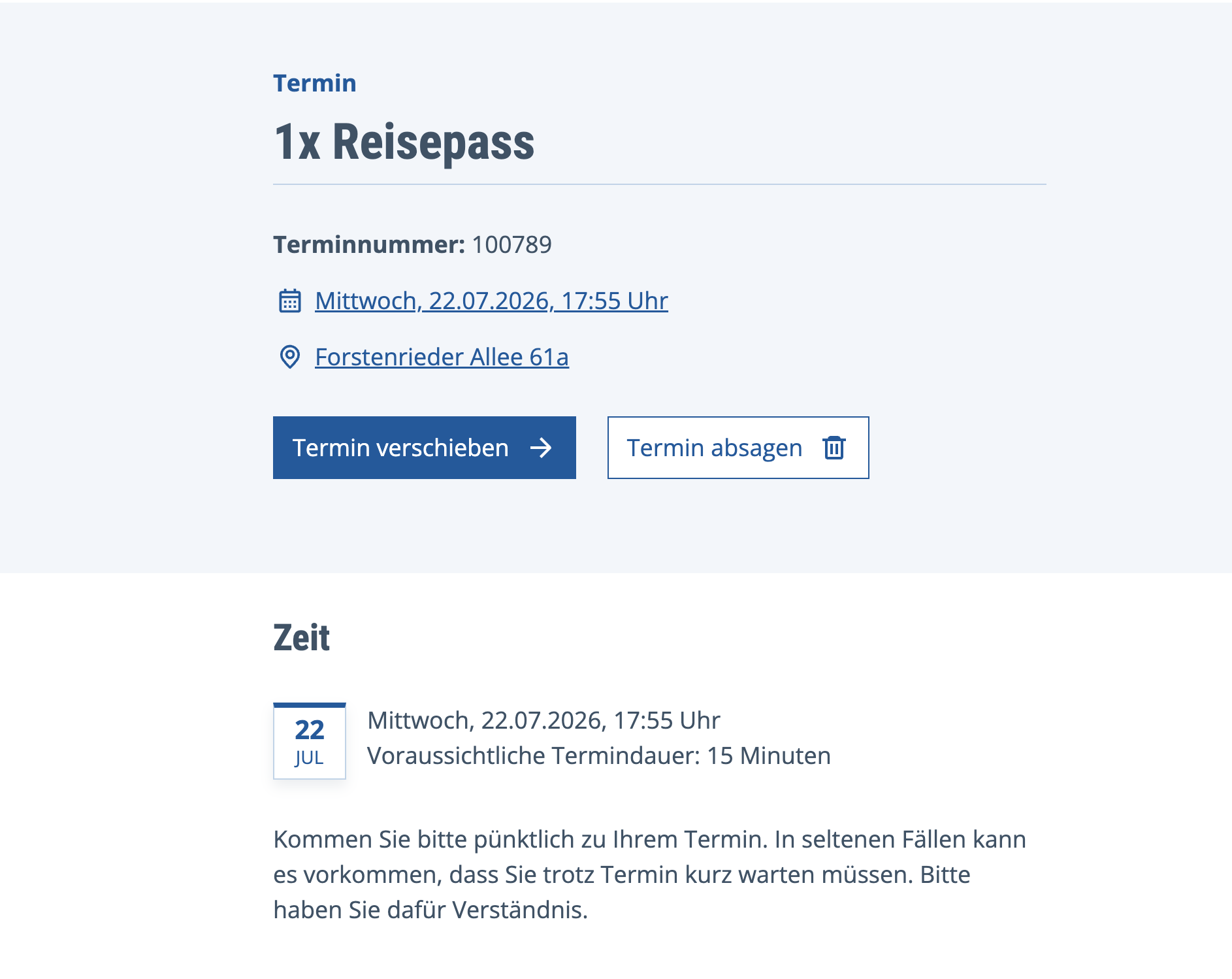
After booking while logged in, appointment detail pages keep the session (token in localStorage) so you can open and manage the appointment:
After login, API calls use /buergeransicht/authenticated/api/citizen/…. The Vite dev proxy and local gateway both need that path (see zmscitizenview/vite.config.ts and .devcontainer/local-gateway-application.yml). Restart refarch-gateway and the Vite / citizenview process after pulling these changes.
The local login shim stores the access token in localStorage so http://localhost:8082/appointment-overview.html, http://localhost:8082/appointment-detail.html, and http://localhost:8082/appointment-slider.html stay logged in across tabs on the same origin. Tokens include claim lhmExtID (Keycloak username) so my-appointments can resolve the user. Re-login (and re-book if needed) after applying migration 10_add-citizen-token-mappers.yml (includes lhmExtID).
| Field | Value |
|---|---|
| Username | citizen |
| Password | vorschau |
Keycloak URL used by the host pages: http://localhost:8080/auth (matches the realm issuer in the browser). The keycloak hosts entry is still useful for admin/statistic and in-container DNS.
The local API gateway often runs with security disabled, so authenticated citizen API calls may succeed without JWT checks. Turning on gateway JWT validation can reuse SSO_URL / SSO_REALM / SSO_CLIENTID from .devcontainer/.env.template.
Podman (Linux) note
Podman may merge host /etc/hosts into containers, which can break in-container keycloak resolution. Add this to ~/.config/containers/containers.conf:
[containers]
base_hosts_file="none"